 Nalara
Screen time
See how much time you spend on your phone and in the apps you choose to track.
See where your screen time goes, set limits for distracting apps, and get a gentle reminder to take a break. No guilt trips.
Made for Android · You're always in control
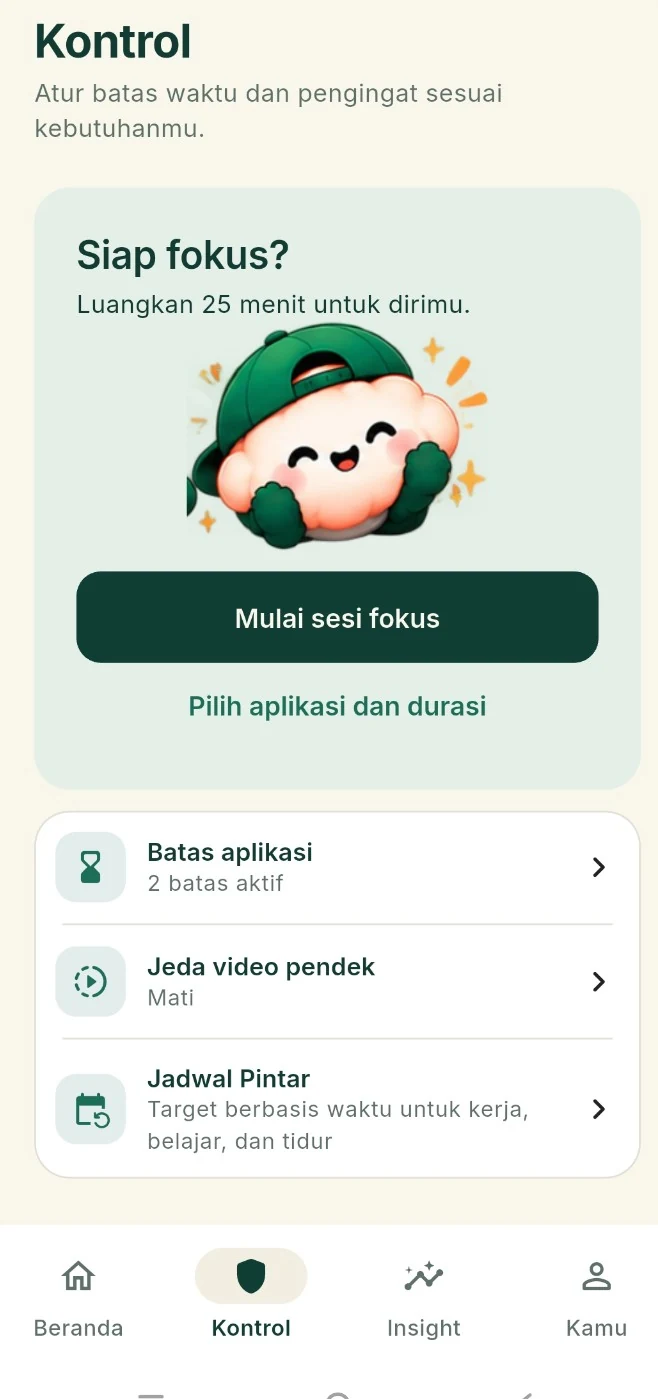
Understand your habits and make intentional choices without turning your phone into another thing to manage.
See how much time you spend on your phone and in the apps you choose to track.
Set daily time goals for the apps that tend to pull you in.
Get an on-screen reminder when a limit is reached. You can always dismiss it.
Look back at your screen time and see how your habits change over time.
Make room for work, study, or downtime with time-based reminders.
Get simple suggestions based on available usage patterns, without sending your history to a server.
Pick which apps you'd like to track or spend less time in.
Enable Android Usage Access and set a daily goal that suits you.
Turn on on-screen reminders if you'd like a nudge when a limit is reached.
Core screen time data and settings are designed to be processed on your device. Accessibility access for optional scroll tracking isn't required for the essentials.
No. Screen time and app limits use Android Usage Access. Accessibility is optional for extra features such as tracking supported scrolling events.
Nalara focuses on limits and dismissible reminders. Android may restrict when overlays can appear, so it doesn't promise unbreakable app blocking.
Core tracking and local history are designed to work offline. A connection may be needed for purchases or restoring Pro access if purchases are offered.
Yes. In the app, go to You → Privacy & data to clear history or reset local data. See the Data Deletion page for the steps.
Start by seeing your habits. What happens next is up to you.
Explore features ↗